
Last updated: July 29, 2026
People searching for how to hack an Instagram account often expect a password-cracking app or a tool that works from only a username. Real Instagram account takeovers rarely happen that way. Most begin when someone is tricked into revealing a password or code, reuses a compromised password, loses control of the connected email account, installs malicious software, or leaves an authenticated device exposed.
This guide explains ten methods criminals currently use to compromise Instagram accounts. It is written to help account owners recognize those attacks, protect their profiles, and recover accounts that belong to them.
Legal and ethical disclaimer: Accessing another person’s Instagram account, email, phone, private messages, authentication codes, recovery information, or logged-in device without permission may violate criminal, privacy, and computer-misuse laws. Use this information only for security awareness, authorized testing, lawful device management, and recovery of accounts you own.
How Instagram Accounts Usually Get Hacked
Most Instagram hacks involve one of three things: something the victim knows, such as a password; something the victim receives, such as a login code; or something the victim already has, such as a logged-in phone or active browser session.
A typical victim may receive a fake copyright notice, a sponsorship offer, or a message from a compromised friend asking for a vote. Another victim may reuse the same password on Instagram and an old shopping website. A creator may lose access because an attacker compromised the connected email account or added themselves to a linked Meta business asset.
The following methods explain how those situations happen in practice.
1. Phishing and Fake Instagram Login Pages
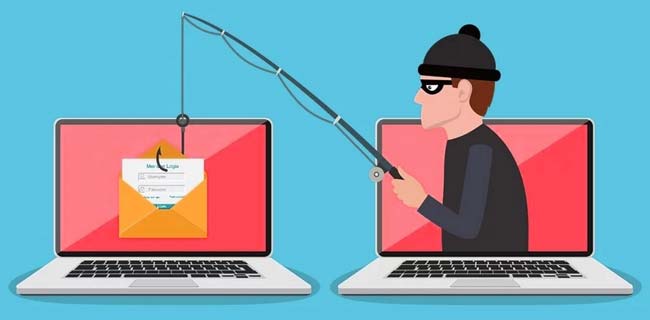
Phishing is one of the most common routes into an Instagram account. The attacker sends a message that creates urgency or offers something attractive, then directs the victim to a page designed to resemble Instagram or Meta.
Common lures include:
- A warning that the account will be suspended for copyright infringement.
- An invitation to apply for Meta Verified or receive a blue badge.
- A sponsorship contract, brand collaboration, or creator payment.
- A message saying someone reported the account.
- A fake security alert about an unfamiliar login.
- A QR code leading to an appeal or verification page.
The victim enters a password and possibly a two-factor authentication code. The attacker then uses that information against the real Instagram login.
What protects you: Do not sign in through links in unexpected emails or direct messages. Open Instagram independently and review official security notifications from inside the app. Instagram also provides a section for checking recent official emails.
Review recent emails sent by Instagram
2. Hacked-Friend Messages and Social Engineering
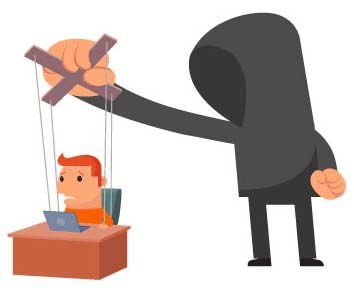
A suspicious message is more convincing when it comes from someone you already know. After taking over one account, criminals often use it to target that person’s friends and followers.
Typical messages include:
- “Can you vote for me in this competition?”
- “I need your help recovering my account.”
- “I accidentally sent a code to your phone.”
- “Is this you in this video?”
- “Send me a screenshot of the link Instagram sent you.”
The attacker may know the friend’s name, writing style, previous conversations, or personal details visible on the profile. This makes the request feel genuine.
What protects you: Verify unusual requests through another channel. Call the person, send a text to a number you already have, or ask something an attacker could not learn from the profile. Never send passwords, login links, verification codes, or backup codes.
You may find useful: How Snapchat Accounts Get Hacked and How to Protect Yours
3. Password Reuse and Credential Stuffing
Many victims believe their Instagram password was guessed. More often, the password was exposed through an unrelated website and then tested against Instagram.
For example, someone may use the same email and password for Instagram, an old forum, a shopping account, and a gaming website. When one of those services suffers a breach, criminals test the leaked combination on other popular platforms. This is called credential stuffing.
Trying billions of password combinations against Instagram’s public login is generally less practical because large platforms use rate limits, suspicious-login checks, and other protections. Reused credentials are much easier to exploit.
What protects you: Use a password that is unique to Instagram and another unique password for the connected email account. A password manager can create and store long random passwords so you do not need to reuse them.
4. Keyloggers, Spyware and Infostealer Malware

A keylogger can record information typed on an infected device, including usernames and passwords. Modern infostealer malware may go further by collecting saved browser passwords, authentication cookies, autofill information, screenshots, cryptocurrency-wallet data, and active login sessions.
Common infection routes include:
- Cracked programs, game cheats, and unofficial software activators.
- Fake browser or application updates.
- Malicious email attachments and cloud-storage links.
- Android APK files from unverified websites.
- Browser extensions with excessive permissions.
- Remote-access software installed during a fake support call.
A useful warning sign is repeated account compromise after the password has already been changed. That may indicate that the new password or active session is being stolen from the same infected device.
What protects you: Secure Instagram and the connected email account from a different trusted device. Remove suspicious extensions and applications, run reputable security scans, and reset or reinstall the affected device when necessary.
Cell Phone Monitoring App: mSpy
mSpy is not an Instagram password cracker or an account-hacking service. It is marketed as parental and mobile-device monitoring software for devices that the customer owns or is lawfully authorized to manage.
Its available features depend on the device, operating system, installation method, permissions, subscription, and current compatibility. It should never be promoted as a way to reveal an arbitrary Instagram password, secretly monitor a partner, or enter another adult’s account.
Secretly installing monitoring software may constitute stalkerware abuse and can expose private messages, locations, photographs, and other personal information. Review local laws and obtain any notice or consent that is required.


Read the FTC’s guidance about stalkerware and secret device monitoring
5. Email Compromise and Password-Reset Abuse
The email account connected to Instagram is often the real key to the profile. An attacker who controls the inbox may request a password reset, read security alerts, remove warning emails, and change the Instagram recovery information.
Changing only the Instagram password will not solve the problem if the attacker still controls the email account.
After an email compromise, check:
- Active email sessions and trusted devices.
- Recovery phone numbers and backup addresses.
- Automatic forwarding rules.
- Filters that hide or delete security messages.
- Application passwords and connected services.
If Instagram reports that the account email address was changed, inspect the original inbox for a legitimate message from security@mail.instagram.com that may allow the change to be reversed.
What to do when an Instagram account email was changed
6. Stolen Browser Sessions and Login Tokens
Instagram uses authenticated sessions so users do not need to enter their passwords every time they open the app or website. Malware, malicious browser extensions, or someone with access to an unlocked computer may steal or abuse that logged-in session.
This means an attacker may enter the account without knowing the current password. The owner changes the password but continues seeing suspicious activity because an unauthorized session or connected service remains active.
What protects you: Review where the account is logged in, remove unfamiliar devices, revoke suspicious apps, and secure any browser or phone that may have been compromised. Compare the device, browser, and login time rather than relying only on the displayed city, which may be approximate.
Review recent Instagram login activity
7. Hack Apps, Browser Extensions and Connected-App Permissions
Some dangerous services ask users to type their Instagram credentials directly. Others use an authorization screen to request access to account information or functions.
Common promises include:
- Showing who viewed the profile.
- Viewing private accounts without approval.
- Generating followers, likes, or verification.
- Recovering deleted messages.
- Downloading hidden or restricted content.
Even when a connected service once had a legitimate purpose, its access can remain active after the user stops using it. Removing the app from the phone does not necessarily remove its account permission.
What protects you: Review connected apps and websites, remove anything unfamiliar or unused, and change the password when it was entered directly into a suspicious service.
Manage apps and websites connected to Instagram
One of the most talked-about Instagram password cracking software at the moment is HackGrammer.
- HackGrammer App
– For Educational Purposes Only.
 HackGrammer is the app that every Instagram user deserves to have, or at least know about. It has a powerful password cracking feature that can allow you to recover your lost password within a few minutes. However, the authors of the program clearly state that they will not be held responsible for any illegal activity that users may perform using the tool, such as hacking other people’s accounts without the account owners’ consent.
HackGrammer is operating with a modified version of brute-force attack way to crack login passwords. The secret to its success lies inside the tool’s complex code. HackGrammer comes with a customized add-on in its code. This is because Instagram blocks your IP address after you try to log in several times without success, which is basically how brute-force works.
To avoid Instagram from blocking your IP, the tool comes with a mask feature that allows it to change to new fresh IPs after a few failed login attempts. It does this automatically without arousing Instagram’s attention. HackGrammer has its own VPN server that provides it with virtual IP addresses to allow you unlimited cracking attempts. Want to learn more about HackGrammer? It’s a user-friendly and easy-to-use software program that works on all modern devices including mobile and desktop devices. It supports Windows, Mac, Android, and iOS platforms.
8. Linked Facebook, Meta and Business Account Access

Creators and businesses often connect Instagram to Facebook profiles, advertising accounts, business portfolios, agencies, shops, and other Meta assets. Those connections create additional routes into the account.
Examples include:
- A connected Facebook account is compromised.
- A former employee or agency still has administrator access.
- A criminal is added as a business partner or account manager.
- Several staff members share one password.
- An attacker changes advertising or payment information.
An owner may recover the Instagram password but lose access again because the attacker still controls a linked account or business role.
What protects you: Use official role-management features instead of sharing passwords. Review linked accounts, administrators, business partners, ad accounts, and payment methods regularly. Remove access as soon as an employee or agency relationship ends.
9. SIM Swapping, Stolen Codes and Login-Approval Abuse
A SIM swap occurs when a criminal convinces or deceives a mobile carrier into transferring the victim’s number to another SIM or eSIM. The attacker may then receive text-message recovery codes intended for the account owner.
Other attackers simply persuade the victim to read a code aloud or forward a login link. Repeated login prompts can also cause someone to approve a request just to stop the notifications.
A sudden loss of mobile service deserves attention when it happens alongside Instagram reset emails, email-login alerts, financial notifications, or unexpected authentication requests.
What protects you: Use an authenticator app instead of SMS where practical, save backup codes securely, reject logins you did not initiate, and ask your mobile carrier whether it offers an account PIN or number-transfer lock.
Set up two-factor authentication for Instagram
10. Physical Access to a Logged-In Device
An unlocked phone or computer may provide direct access to Instagram, the connected email account, saved passwords, authentication apps, messages, and recovery codes.
Someone with temporary access may:
- Change the Instagram email address or phone number.
- Add another login or authentication method.
- Read backup codes stored in screenshots or notes.
- Install monitoring software or a browser extension.
- Access a password manager that is already unlocked.
- Use the account without immediately locking out the real owner.
What protects you: Use a strong device passcode, keep automatic locking enabled, hide sensitive notification previews, review stored fingerprints or faces, and do not leave authenticated devices unattended.
Signs Your Instagram Account May Be Hacked
- Your password suddenly stops working.
- The username, email, phone number, biography, or profile picture changes.
- You receive login or two-factor prompts you did not request.
- Unknown devices appear in login activity.
- Messages, posts, stories, follows, or comments appear without your involvement.
- Followers receive crypto, investment, ticket, or emergency-money scams.
- Unknown profiles appear in Accounts Center.
- Connected apps, administrators, ad campaigns, or payment methods change.
- Instagram security emails disappear from the inbox.
- The account repeatedly logs you out.
How to Protect Your Instagram Account
Related guide: How Hackers Find Your Personal Information Online
- Use a unique password. Do not use the Instagram password on any other website.
- Protect your email account. Give it a different password and enable multifactor authentication.
- Enable two-factor authentication. Prefer an authenticator app and store backup codes securely.
- Use a passkey when available. A passkey can reduce reliance on a password that may be phished or reused.
- Review active sessions. Remove devices and browsers you do not recognize.
- Check connected apps. Revoke services that are unfamiliar or no longer needed.
- Verify urgent messages independently. Do not trust a supplied link, number, or support account.
- Keep devices updated. Remove suspicious apps, cracked software, and unnecessary browser extensions.
- Review linked Meta assets. Check Facebook profiles, business roles, administrators, ads, and payment methods.
- Protect your phone number. Use carrier security options and act quickly after an unexpected loss of service.
How to Recover a Hacked Instagram Account
If You Can Still Log In
- Use a trusted device, especially if malware may be present.
- Change the Instagram password to a unique one.
- Sign out unfamiliar sessions.
- Confirm that the recovery email and phone number still belong to you.
- Enable or reset two-factor authentication and create new backup codes.
- Remove unknown connected apps and linked accounts.
- Secure the connected email account and inspect forwarding rules.
- Check Facebook, Accounts Center, business roles, ads, and payment methods.
- Warn followers if the attacker sent fraudulent messages.
- Clean or reset any device suspected of containing malware.
If You Cannot Log In
Use Instagram’s official hacked-account recovery process from the app, Help Center, or instagram.com/hacked.
Instagram may offer a login link, security code, familiar-device confirmation, identity check, video selfie, or another recovery option depending on the account.
If the email address was changed, check the original inbox, spam folder, trash, filters, and deleted messages for a legitimate Instagram security email. Secure the email account before relying on it for recovery.
Do not pay a supposed recovery hacker on Instagram, Telegram, WhatsApp, or another platform. Nobody outside Meta can guarantee that an account will be returned.
Frequently Asked Questions
Can someone hack Instagram using only a username?
A username alone does not reveal the password. It can help a criminal identify the owner, create convincing phishing messages, impersonate the profile, or request password resets.
Can a direct message hack an Instagram account?
Simply reading an ordinary direct message does not normally compromise the account. The danger begins when the recipient clicks a malicious link, downloads a file, enters credentials, sends a code, or approves an unexpected login.
Do Instagram password-finder websites work?
No legitimate website can reveal an Instagram password from a username. These sites commonly display fake progress screens, request payment, force visitors through surveys, distribute malware, or steal the visitor’s own credentials.
Can Instagram be hacked with two-factor authentication enabled?
Two-factor authentication provides strong additional protection, but a victim may still be tricked into sharing a code, approving a login, using an infected device, or surrendering control of the connected email or phone number.
Does changing the password remove the hacker?
It is an important step, but it may not be sufficient. Remove unfamiliar sessions, secure the email account, revoke connected apps, review linked Meta accounts, reset two-factor authentication, and investigate affected devices.
Can a professional hacker recover my Instagram account?
A legitimate cybersecurity professional may help remove malware, preserve evidence, and explain the official recovery process. Only Meta controls Instagram account verification and restoration, so nobody can guarantee recovery or legitimately bypass its ownership checks.
Final Thoughts
Instagram accounts are usually compromised through phishing, social engineering, password reuse, email compromise, malicious software, stolen sessions, unsafe connected apps, linked Meta access, authentication-code abuse, or physical access to an unlocked device.
The strongest protection is layered: use unique passwords, secure the connected email account, enable authenticator-app two-factor authentication, save backup codes, review login sessions, remove unnecessary apps, protect the phone number, and verify urgent messages through official channels.
If an account belonging to you is already compromised, use Instagram’s official recovery process and secure the email account and devices that could allow the attacker to return.
You may also find interesting: